> root@laobuluo:~# apt-get update -y
> Ign:1 http://us.archive.ubuntu.com/ubuntu zesty InRelease
> Ign:2 http://us.archive.ubuntu.com/ubuntu zesty-updates InRelease
> Ign:3 http://us.archive.ubuntu.com/ubuntu zesty-backports InRelease
> Err:4 http://us.archive.ubuntu.com/ubuntu zesty Release
> 404 Not Found [IP: 91.189.91.14 80]Err:5 http://us.archive.ubuntu.com/ubuntu zesty-updates Release
> 404 Not Found [IP: 91.189.91.14 80]Err:6 http://us.archive.ubuntu.com/ubuntu zesty-backports Release
> 404 Not Found [IP: 91.189.91.14 80]Ign:7 http://security.ubuntu.com/ubuntu zesty-security InRelease
> Err:8 http://security.ubuntu.com/ubuntu zesty-security Release
> 404 Not Found [IP: 91.189.88.174 80]Reading package lists... Done
> E: The repository 'http://us.archive.ubuntu.com/ubuntu zesty Release' does no longer have a Release file.
> N: Updating from such a repository can't be done securely, and is therefore disabled by default.
> N: See apt-secure(8) manpage for repository creation and user configuration details.
> E: The repository 'http://us.archive.ubuntu.com/ubuntu zesty-updates Release' does no longer have a Release file.
> N: Updating from such a repository can't be done securely, and is therefore disabled by default.
> N: See apt-secure(8) manpage for repository creation and user configuration details.
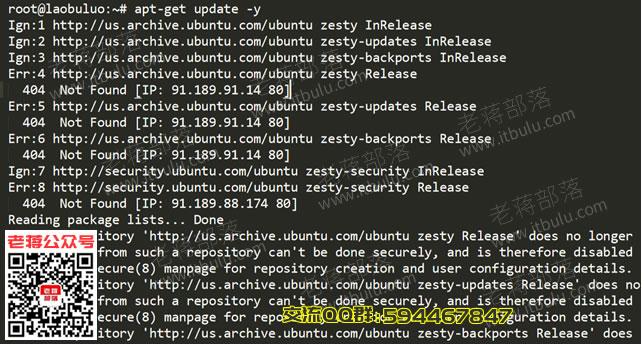
一般我们用国内主机商是没有这些问题的,应该内置的源是我们国内的。所以这里老 蒋更换阿里云国内的镜像源。
> /etc/apt/sources.list
我们可以直接vim编辑文件或者是下载到本地编辑。
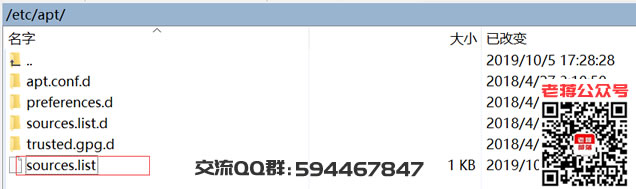
将内容替换成:
> deb http://mirrors.aliyun.com/ubuntu/ bionic main restricted universe multiverse
> deb-src http://mirrors.aliyun.com/ubuntu/ bionic main restricted universe multiverse
> deb http://mirrors.aliyun.com/ubuntu/ bionic-security main restricted universe multiverse
> deb-src http://mirrors.aliyun.com/ubuntu/ bionic-security main restricted universe multiverse
> deb http://mirrors.aliyun.com/ubuntu/ bionic-updates main restricted universe multiverse
> deb-src http://mirrors.aliyun.com/ubuntu/ bionic-updates main restricted universe multiverse
> deb http://mirrors.aliyun.com/ubuntu/ bionic-backports main restricted universe multiverse
> deb-src http://mirrors.aliyun.com/ubuntu/ bionic-backports main restricted universe multiverse
> deb http://mirrors.aliyun.com/ubuntu/ bionic-proposed main restricted universe multiverse
> deb-src http://mirrors.aliyun.com/ubuntu/ bionic-proposed main restricted universe multiverse
替换之后,我们再执行命令:
> apt-get update -y
> apt-get upgrade -y
然后我们可以看到没有任何报错。
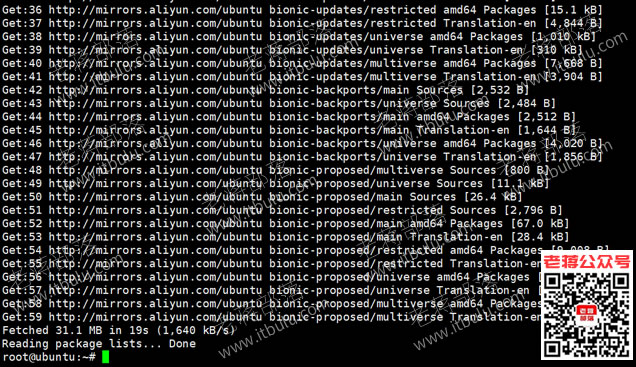
就这样Ubuntu18.04系统更换源升级软件包是没有问题的,Ubuntu 17.04等版本也是可以使用的。我们如果不放心可以先将系统源文件sources.list备份一份,然后再替换升级,有问题还可以及时恢复。