PS:可能并不是所有的环境都适合这个方法,最好的办法我们还是保管好密码。
第一、暂停当前MySQL数据库
> /etc/init.d/mysql stop

第二、设置跳过验证启动
> /usr/local/mysql/bin/mysqld_safe --skip-grant-tables >/dev/null 2>&1 &
第三、设置新密码
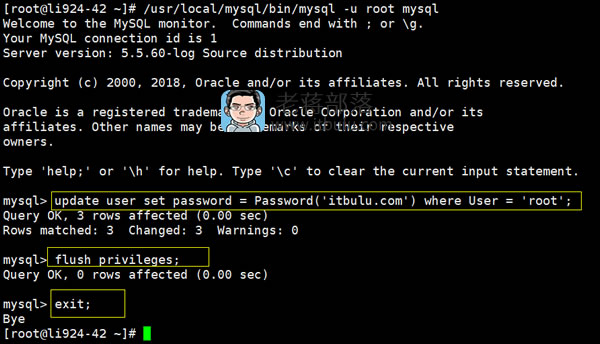
1、登入命令行
> /usr/local/mysql/bin/mysql -u root mysql
因为我们设置了跳过验证,直接就可以进入数据库命令行。
2、设置新密码
> update user set password = Password('itbulu.com') where User = 'root';
红色部分是密码,我们可以换成自己需要的。
3、刷新退出
> flush privileges;
> exit;
刷新和退出。
第四、重启生效
> killall mysqld
> /etc/init.d/mysql start
重启之后生效。我们就可以用新密码登入。