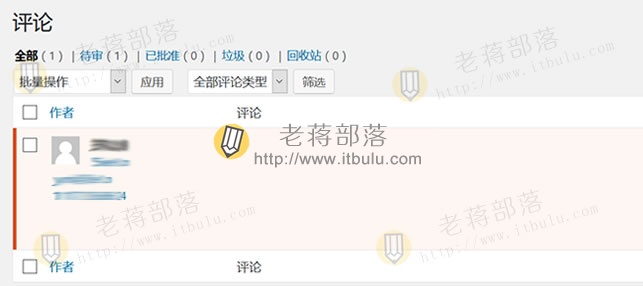
我们看到的是这样子的。如果去编辑评论是可以看到有内容的,就是不显示出来。于是寻找解决方法。
第一、解决方法
1、寻找替换文件
> wp-includes/comment-template.php
2、替换脚本
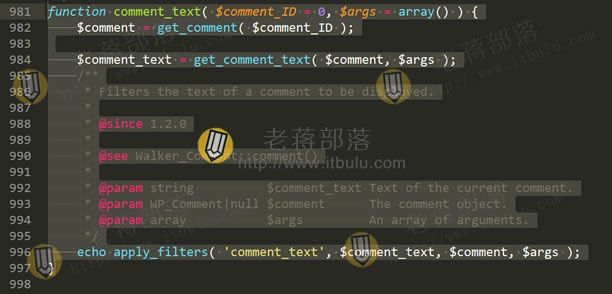
将:
> function comment_text( $comment_ID = 0, $args = array() ) {
> $comment = get_comment( $comment_ID );
> $comment_text = get_comment_text( $comment, $args );
> /**
> * Filters the text of a comment to be displayed.
> *
> * @since 1.2.0
> *
> * @see Walker_Comment::comment()
> *
> * @param string $comment_text Text of the current comment.
> * @param WP_Comment|null $comment The comment object.
> * @param array $args An array of arguments.
> */
> echo apply_filters( 'comment_text', $comment_text, $comment, $args );
> }
替换成:
> function comment_text( $comment_ID = 0 ) {
> $comment = get_comment( $comment_ID );
> echo(get_comment_text( $comment_ID ));
> }
第二、检查是否解决
然后再刷新缓存,看看评论处的内容是不是解决。当然,问题是可以解决的。
目前,老蒋没有找到更好的解决方法,有网友说换主题可以解决,但这个动作有点大。因为之前是好的,为什么突然这样?是新版本WP的主题兼容问题还是什么。因为上面的解决方法是动了核心程序,下次如果升级WP的时候还会还原。所以我们下次更新版本后如果还这样就要继续修改。