但是,从网上搜索到很多关于文章目录功能的文章,其实对于这个功能使用一个插件,而且插件里文章还不少,对于可能存在的安全问题或者是在添加插件后我们可以看到页面增加的调用脚本、样式还是不少的,使得为了加这一个功能网站变得臃肿很多。有点强迫症的我肯定不允许这样的问题存在,要么就不去使用。这里老蒋再去试试上网其他网友提供的无插件版本。
这里老蒋找到来自露兜博主的文章(https://www.ludou.org/wordpress-content-index-plugin.html),觉得这个功能还是不错的,添加到博客中发现还是比较美观,虽然功能不如插件方式自动化和强大,但是基本的目录功能还是够用的。
第一、单级目录脚本
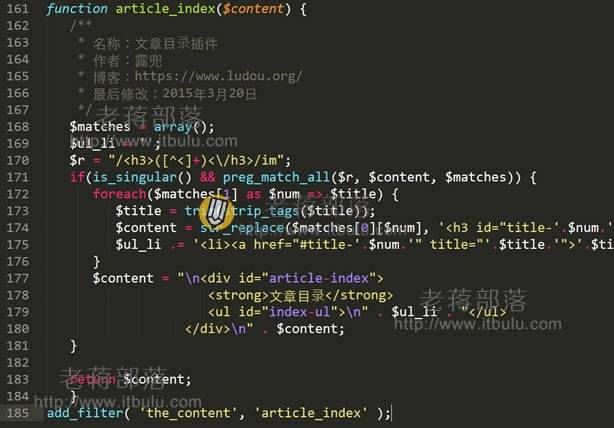
> function article_index($content) {
> /**
> * 名称:文章目录插件
> * 作者:露兜
> * 博客:https://www.ludou.org/
> * 最后修改:2015年3月20日
> */
> $matches = array();
> $ul_li = '';
> $r = "/<h3>([^<]+)<\/h3>/im";
> if(is_singular() && preg_match_all($r, $content, $matches)) {
> foreach($matches[1] as $num => $title) {
> $title = trim(strip_tags($title));
> $content = str_replace($matches[0][$num], '<h3 id="title-'.$num.'">'.$title.'</h3>', $content);
> $ul_li .= '<li><a href="#title-'.$num.'" title="'.$title.'">'.$title."</a></li>\n";
> }
> $content = "\n<div id="article-index">
> <strong>文章目录</strong>
> <ul id="index-ul">\n" . $ul_li . "</ul>
> </div>\n" . $content;
> }
> return $content;
> }
> add_filter( 'the_content', 'article_index' );
第二、多级目录脚本
> //文章目录
> function article_index($content) {
> $matches = array();
> $ul_li = '';
> $r = '/<h([2-6]).?\>(.?)<\/h[2-6]>/is';
> if(is_single() && preg_match_all($r, $content, $matches)) {
> foreach($matches[1] as $key => $value) {
> $title = trim(strip_tags($matches[2][$key]));
> $content = str_replace($matches[0][$key], '<h' . $value . ' id="title-' . $key . '">'.$title.'</h2>', $content);
> $ul_li .= '<li><a href="#title-'.$key.'" title="'.$title.'">'.$title."</a></li>\n";
> }
> $content = "\n<div id=\"article-index\">
> <strong>文章目录</strong>
> <ul id=\"index-ul\">\n" . $ul_li . "</ul>
> </div>\n" . $content;
> }
> return $content;
> }
> add_filter( 'the_content', 'article_index' );
第一个脚本来自露兜自己发布的,第二个来自网友的改良可以多级目录,一般网站直接单级也是够用的。我们可以将脚本添加到当前主题Functions.php文件中。
第三、CSS样式定义
> #article-index {
> -moz-border-radius: 6px 6px 6px 6px;
> border: 1px solid #DEDFE1;
> float: right;
> margin: 0 0 15px 15px;
> padding: 0 6px;
> width: 200px;
> line-height: 23px;
> }
> #article-index strong {
> border-bottom: 1px dashed #DDDDDD;
> display: block;
> line-height: 30px;
> padding: 0 4px;
> }
> #index-ul {
> margin: 0;
> padding-bottom: 10px;
> }
> #index-ul li {
> background: none repeat scroll 0 0 transparent;
> list-style-type: disc;
> padding: 0;
> margin-left: 20px;
> }
然后根据实际页面,需要调整CSS样式,不同网站自带CSS可能有冲突,我们需要再微调。
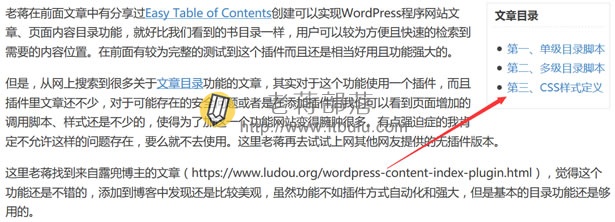
这样,我们可以实现无插件使得WordPress网站具有内容目录向导的功能。